How to block the move to Done until a checklist is complete in Jira Cloud
Checked on our own Jira site on 20 November 2026. Jira's screens now say "work item" and "space" where older pages say "issue" and "project". They are the same things.
With Jira alone
- Give each step of your checklist its own field. For example, a checkbox field "Peer review done" with the single option "Yes".
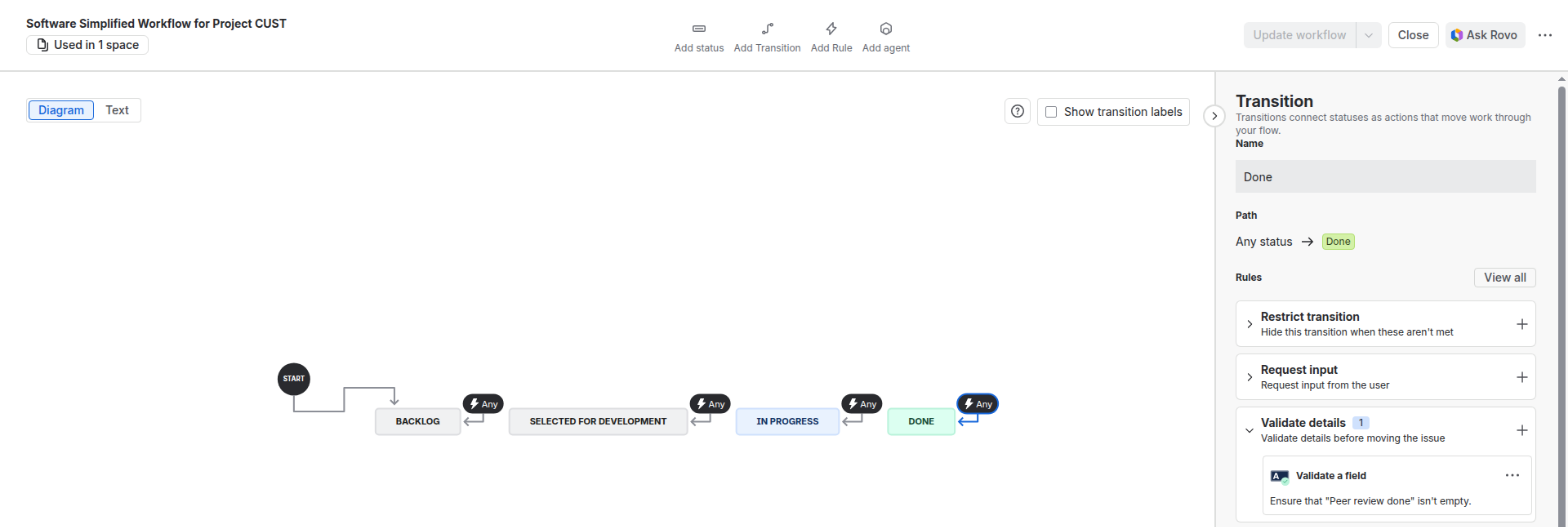
- Open the workflow in the workflow editor and select the transition into Done.
- Add the rule "Validate a field": choose the check "Isn't empty", then the fields. Its rule type is "Validate details". The old editor called it the Field Required Validator.
- Select "Update workflow".
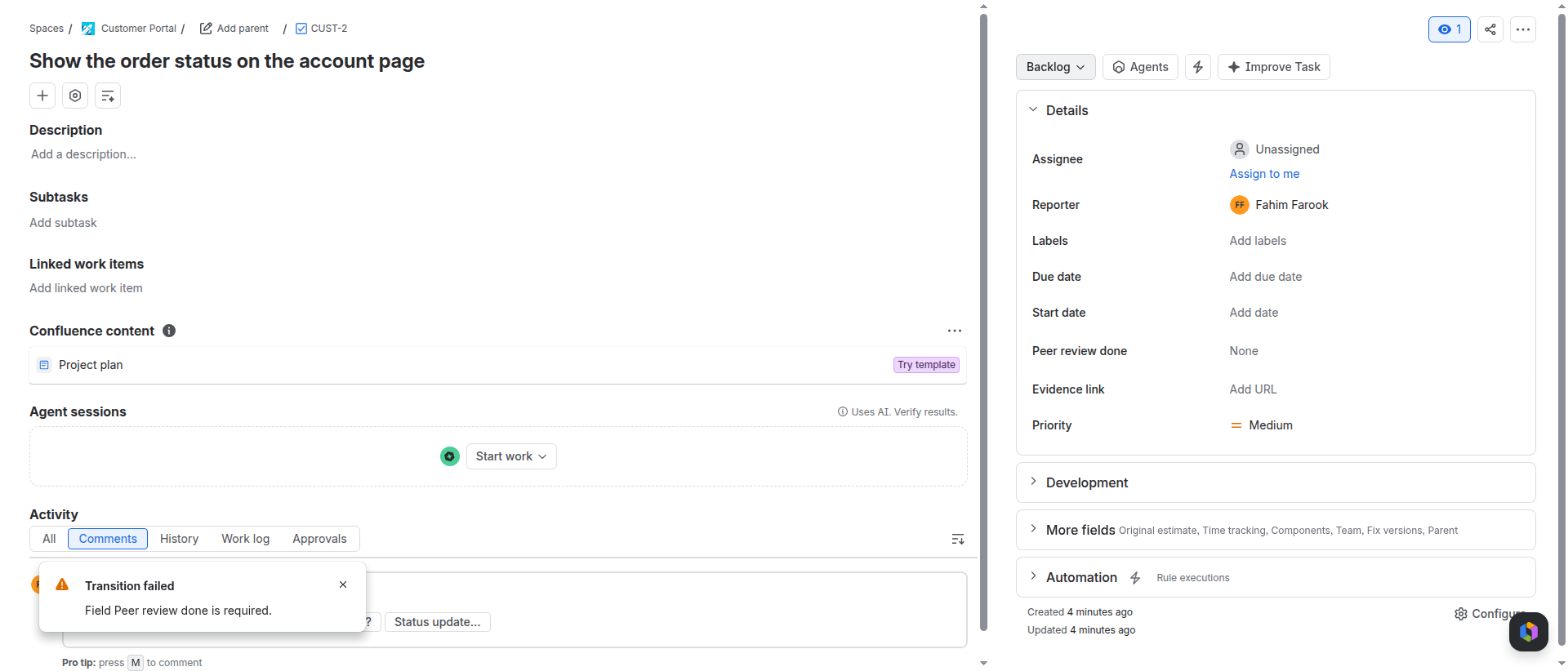
Now try to move a work item with an empty field. Jira stops the move: "Field Peer review done is required."
A team-managed space has the same rule, "Validate a field", in the same workflow editor.
If your checklist is two or three fields, you are done. You need no app.
Where this stops
- A field shows its present value. Who changed it is in the History tab, not next to the step.
- A skipped step has no place for its reason.
- A workflow often has more than one transition into Done. Each one needs the rules.
With DefinitionGuard
DefinitionGuard is our app for this task. It shows a checklist on the issue and has one workflow validator.
- Install DefinitionGuard from the Atlassian Marketplace. It is free for sites with up to 10 users.
- Open an issue. Select the button "View app actions" under the title, and choose DefinitionGuard. The panel shows a built-in checklist for the issue type, before any setup.
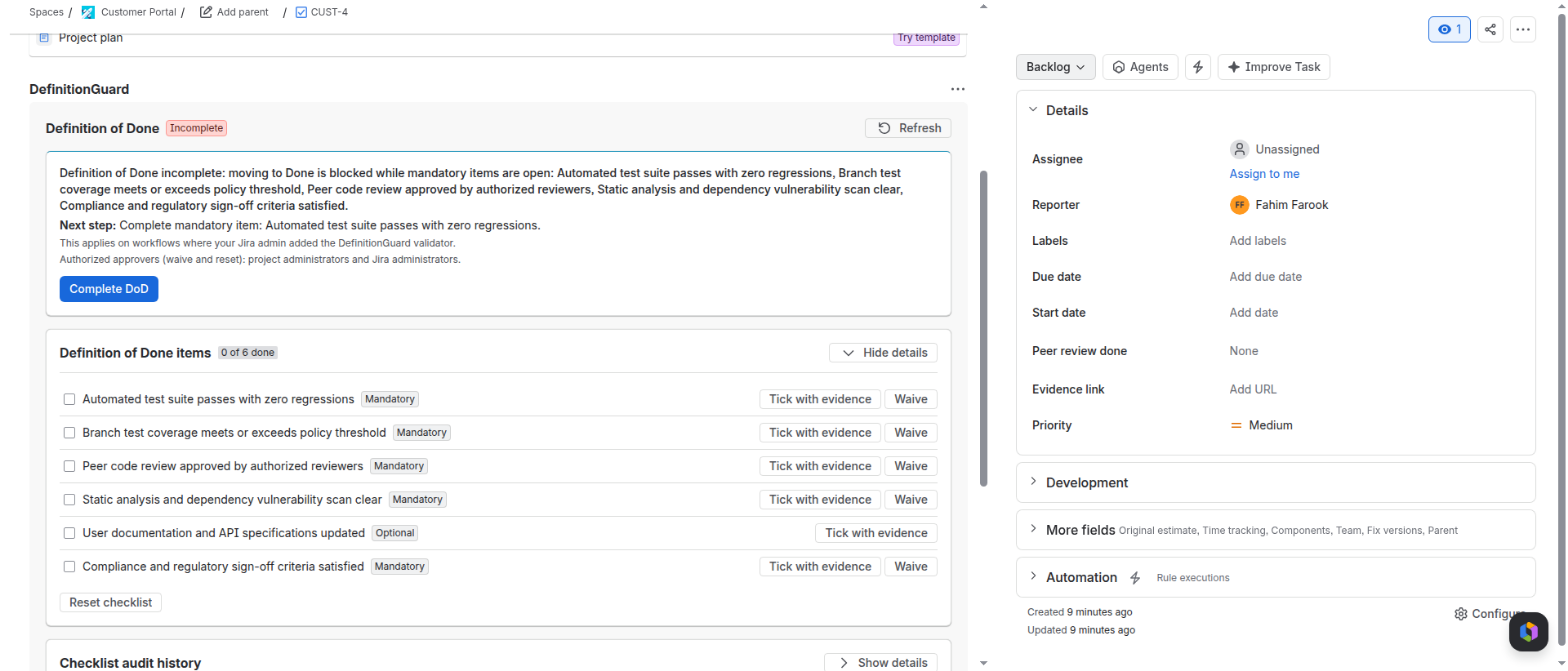
- As a Jira admin, add the validator "DefinitionGuard DoD Enforcement" to each transition into a Done status, in the workflow editor. The app cannot add it for you.
- In the space settings, under Apps, open DefinitionGuard and look at Gate coverage. It lists each transition into a Done status as Gated, Not gated or Exempt.

On those transitions the move is now blocked while a mandatory item is open and not waived. Jira's "Transition failed" message names the open items.
Limits
- Without the validator, the app shows the checklist and blocks nothing.
- A tick is a record of a Jira user's action. It is not an electronic signature.
- If the app cannot read the data it needs, it blocks the move. A Jira admin can take the validator off at any time.
- With an inactive licence the gate is off, and every move goes through.
The exact clicks are in the DefinitionGuard user guide.
 Eliya
 Jira Governance
 Dial